
|
|
|
User's Guide - Classifieds
|
 Classifieds Classifieds
This section allows you to post ads for various items (ie: wanted jobs, lost & found, announcements, items for sale, anything!). As we all know, classifieds advertising in local newspapers is not getting any cheaper! Your Classified ad may need to be approved by the website administrator before becoming viewable. |
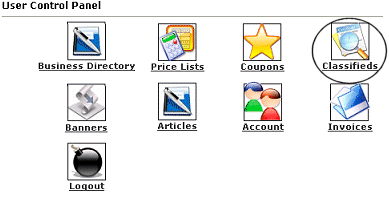 |
In order to add or edit a classified, you will want to login to your account. Click on the icon that is circled in this image (Classifieds).
Once you have clicked the icon, you will see a menu similar to the one below... |
Current Classified Ads
You currently have no classified ads in the directory.
Create a new classified ad | Return to panel |
|
If you do not have a classifieds listed in the directory, you will need to choose the Create a new classified ad. You will need to fill out the form as explained below... |
Classified AdDetails:
This section contains basic information such as name address and a description. You must enter a contact person. There is also a section for a website URL if the business has one, if it does make sure to include the www. If you do not have a website simply leave it blank.
Categorization:
This will be where the ad will display.
Logo:
If you would like a logo image (or picture of the item for sale) to be listed with in your ad you can upload it here. Click on Browse to find the image on your computer.
Duration:
How long to you want the ad to be displayed.
Additional Options:
This is any extra items you may want to add to your listing to increase its visibility. Some options may cost extra.
Payment Options:
Choose how you would like to pay for the classified ad. Your listing will not be visible until payment has been received.
Once finished simply click on Submit Ad
. Your classified ad may be help for review and if payment is owed, it will not be published until payment is received. You can view the status of all your ads by returning to the Classifieds Management area in the User Control Panel. If your ad has not been yet approved, it's status will be displayed as Awaiting Approval. Once approved it's status will display as Active. You should also receive an email upon classified approval. |
Invoice Description:
This page is an itemized list of each option you choose and the cost for each along with the total due. If you chose to mail in the payment, you will find the mailing address on this page as well, if mail-in payments are accepted. Please make sure to include your name, username, and classified ad title. When you are finished click on Return to take you back to your User Control Panel.
|
 Sample Sample
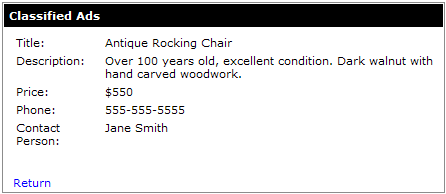
Below is an example of how a classified will display in our directory:
|
| Close this browser window to return to the Guide. |
|
|

|
|
